
Price your own jobs? Sound familiar...
You visit the site. Take measurements, photos, notes. Then you go home and work through it all. Plans out, calculator open, notebook filling up. Materials, quantities, labour, subs, special orders. Hours at the desk before you've even started the quote.
And when you're running two or three jobs at once? Good luck keeping it all straight.
There's a better way to work through a job.
Talk through the job. Get a note you can trust.
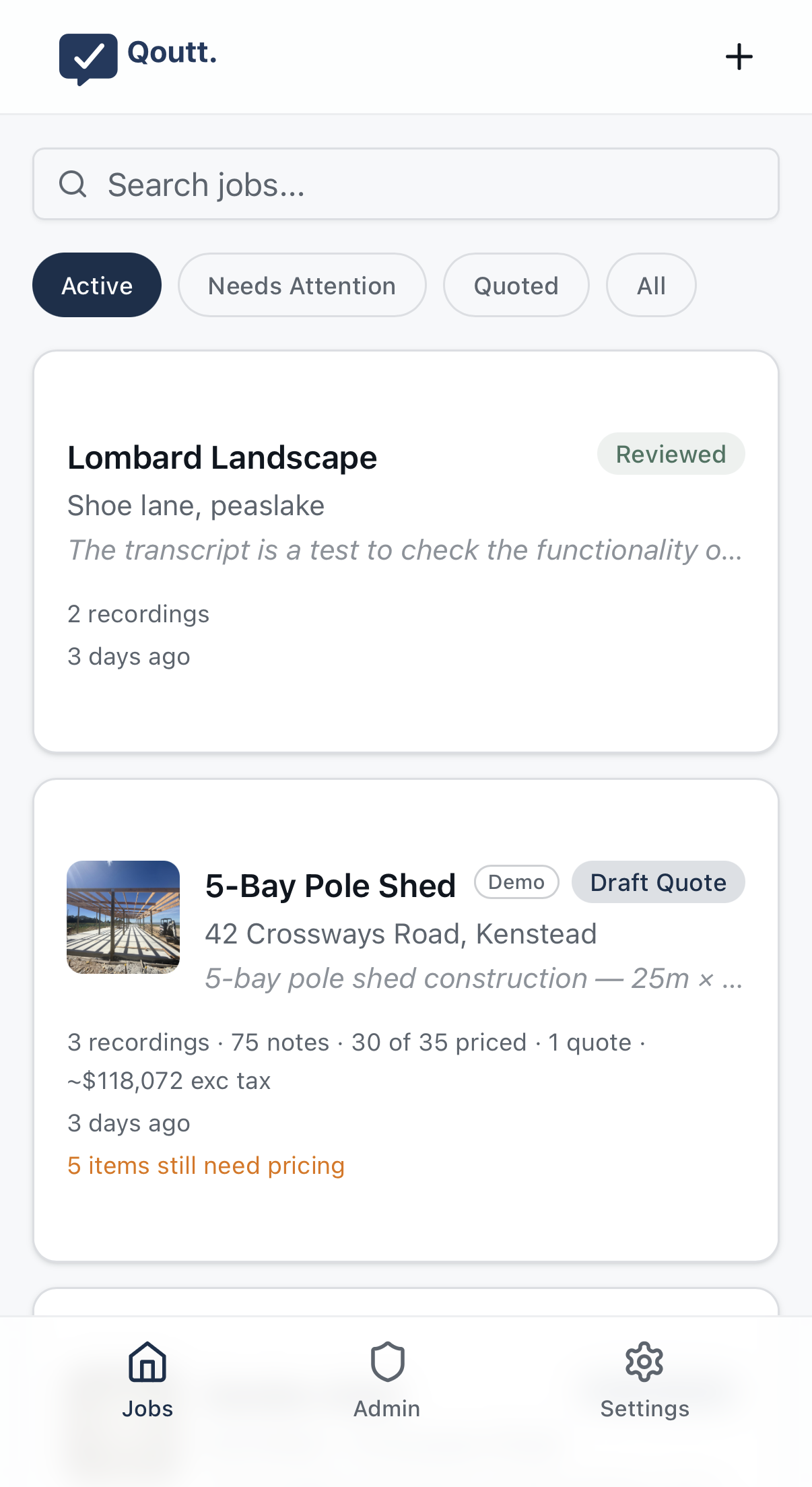
Talk through the job, on site or at your desk. Qoutt turns it into a clear working note in your own words, shows what it found under each thought, and helps you confirm the bits that matter. Then use that same note for pricing, materials, labour, and quotes.
Try it free on your next job. We'll get you set up within a few days.
No cost, no commitment. Your feedback helps us make it better.
For builders, landscapers, roofers, painters, events, demolition, and more.
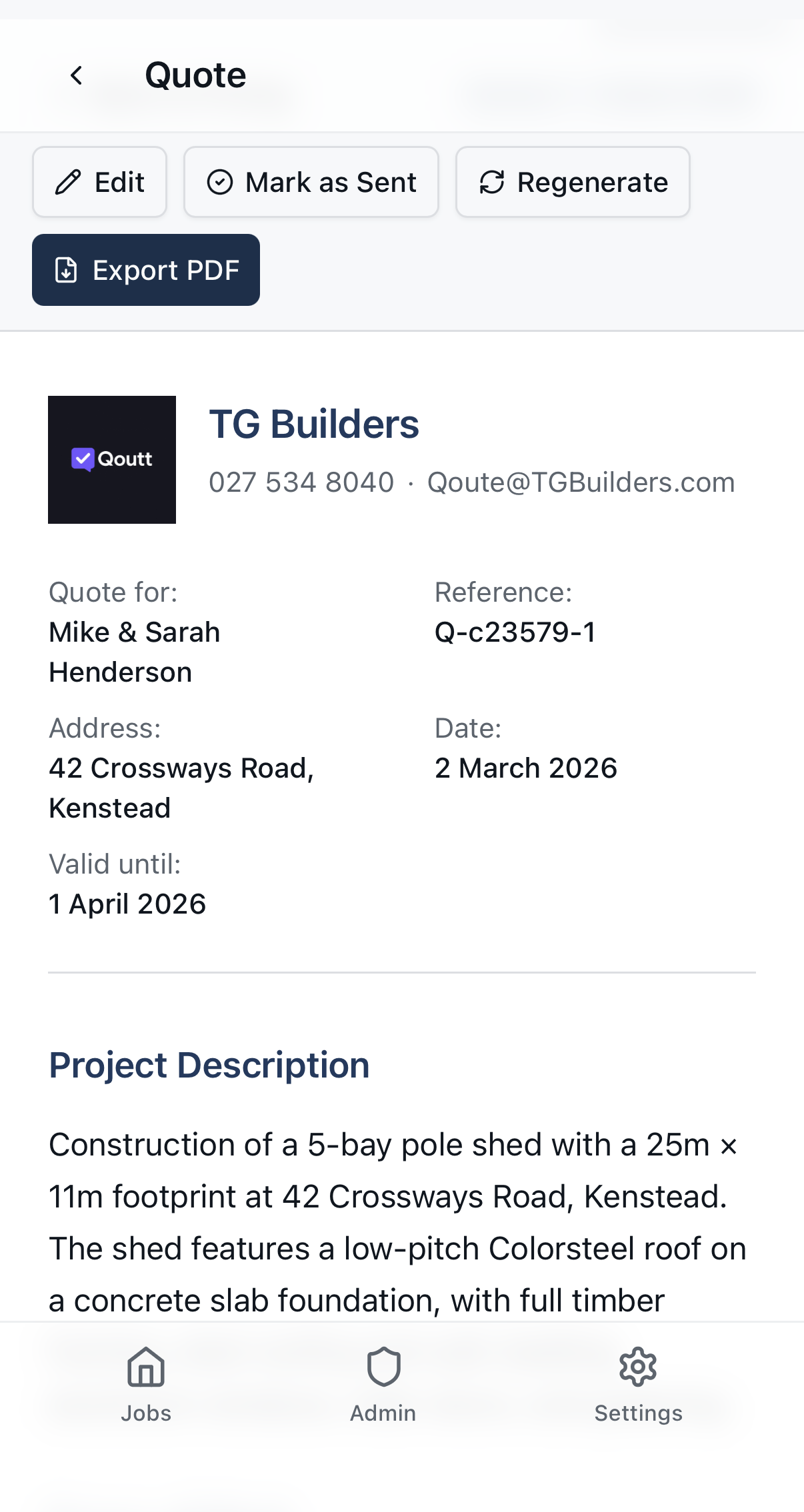
Here's the thing
You visit the site. Take measurements, photos, notes. Then you go home and work through it all. Plans out, calculator open, notebook filling up. Materials, quantities, labour, subs, special orders. Hours at the desk before you've even started the quote.
And when you're running two or three jobs at once? Good luck keeping it all straight.
There's a better way to work through a job.
How it works
Capture → Read your note → Check what Qoutt found → Use it
Capture the job
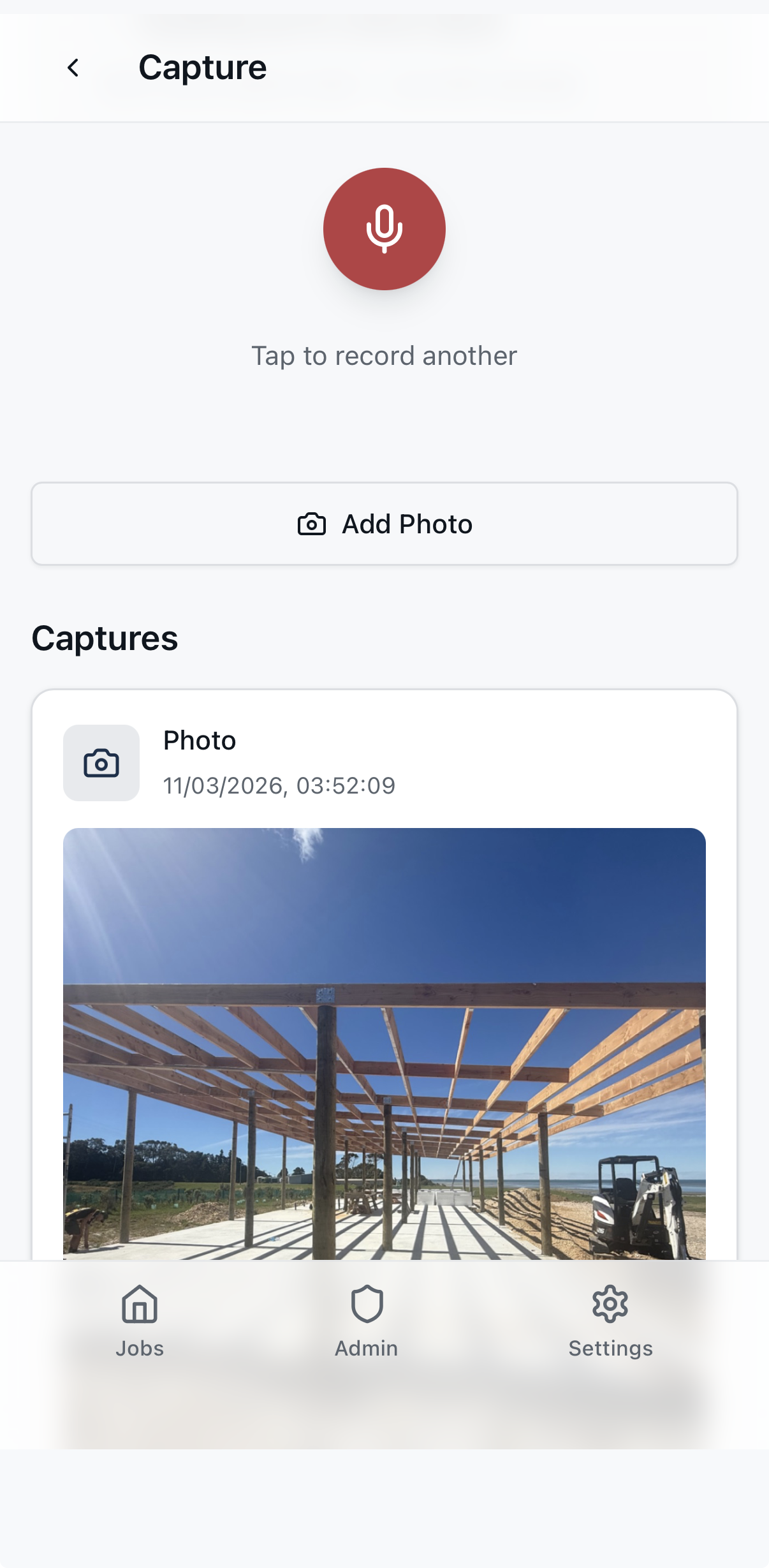
Talk through what's needed — materials, quantities, labour, exclusions. Add photos. Qoutt captures it as you talk the job through. Nothing gets lost.
Read your note
Qoutt turns the recording into a clear working note in your own words, thought by thought. Your note stays yours.
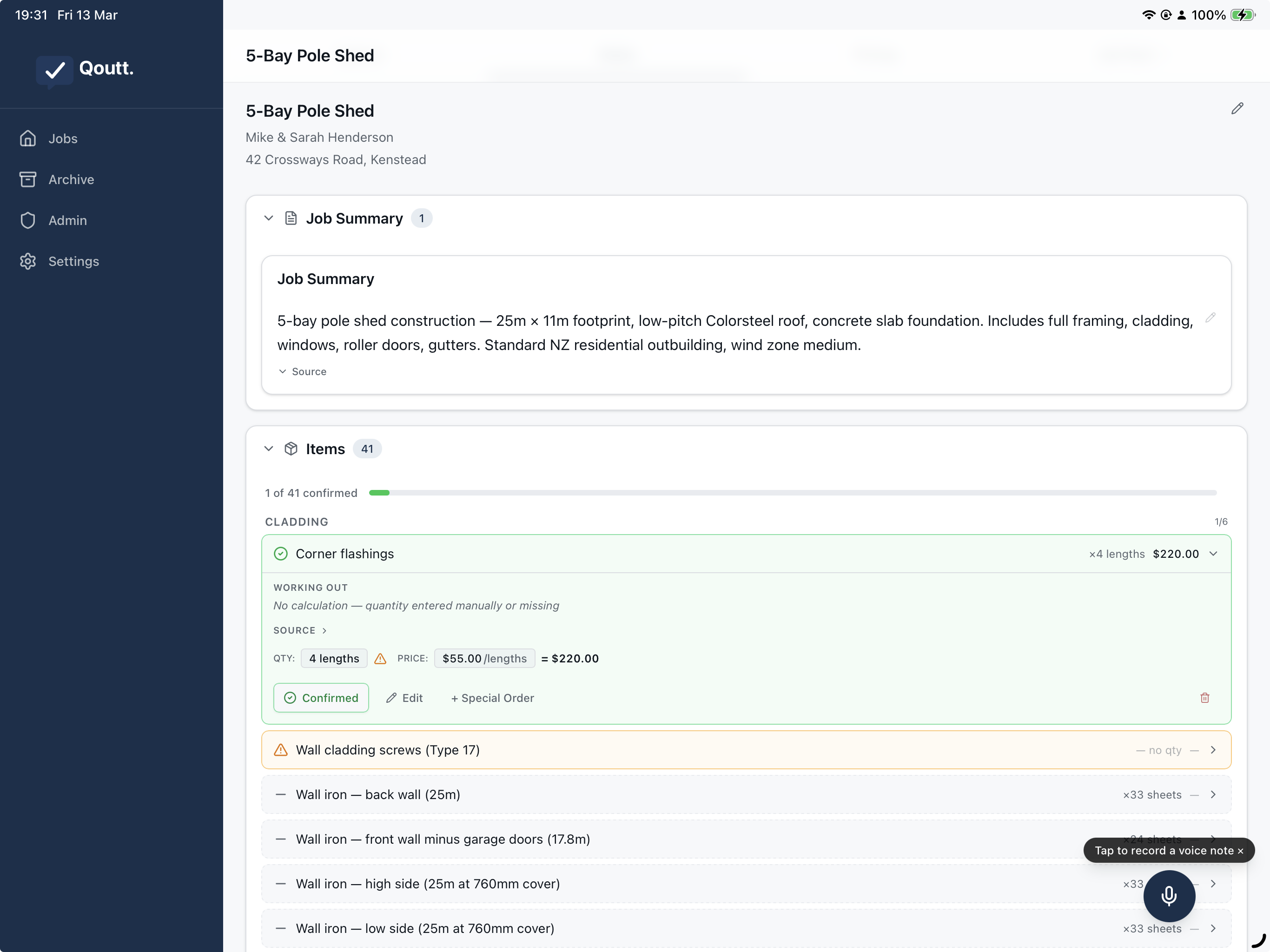
Check what Qoutt found
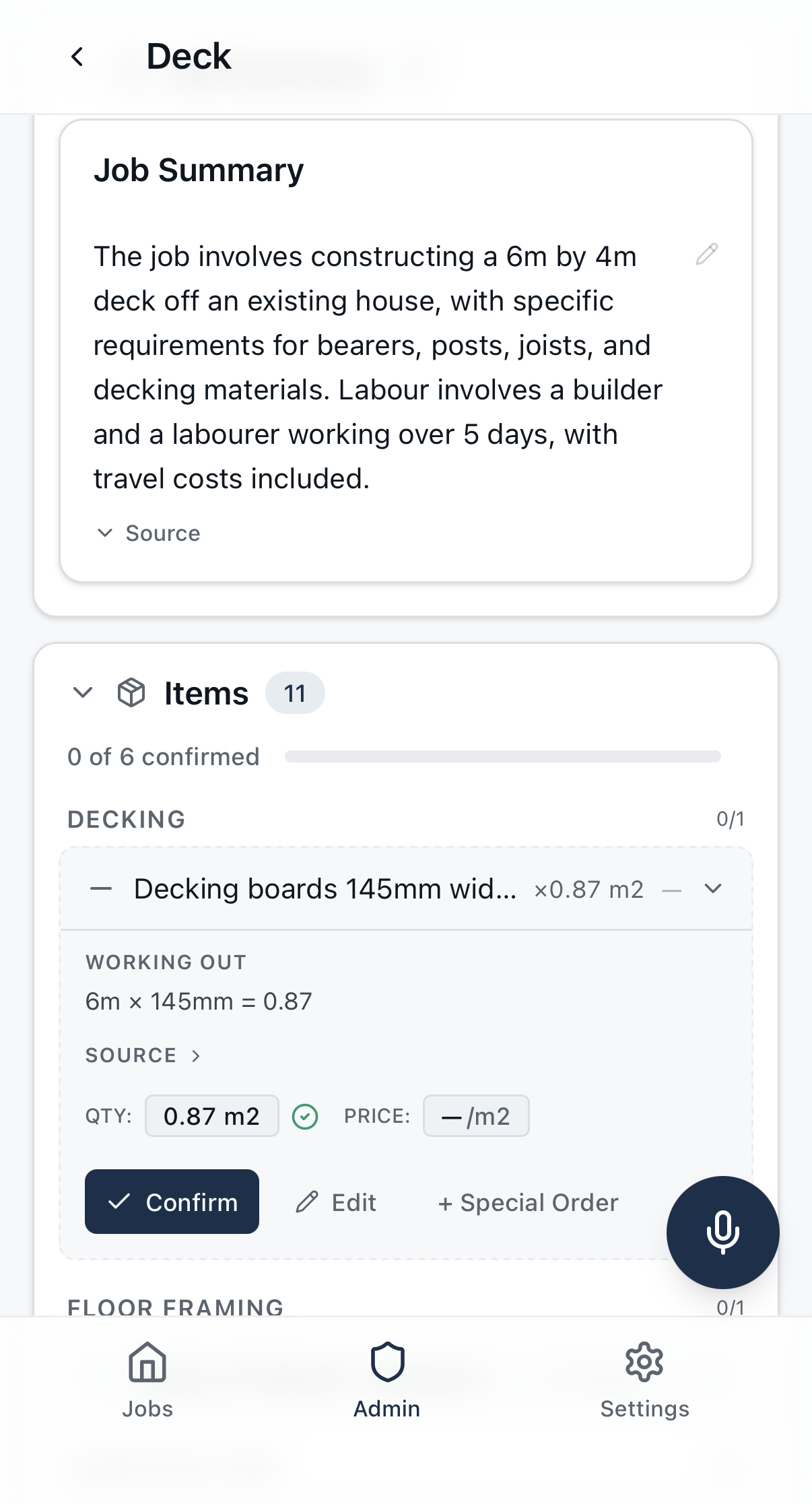
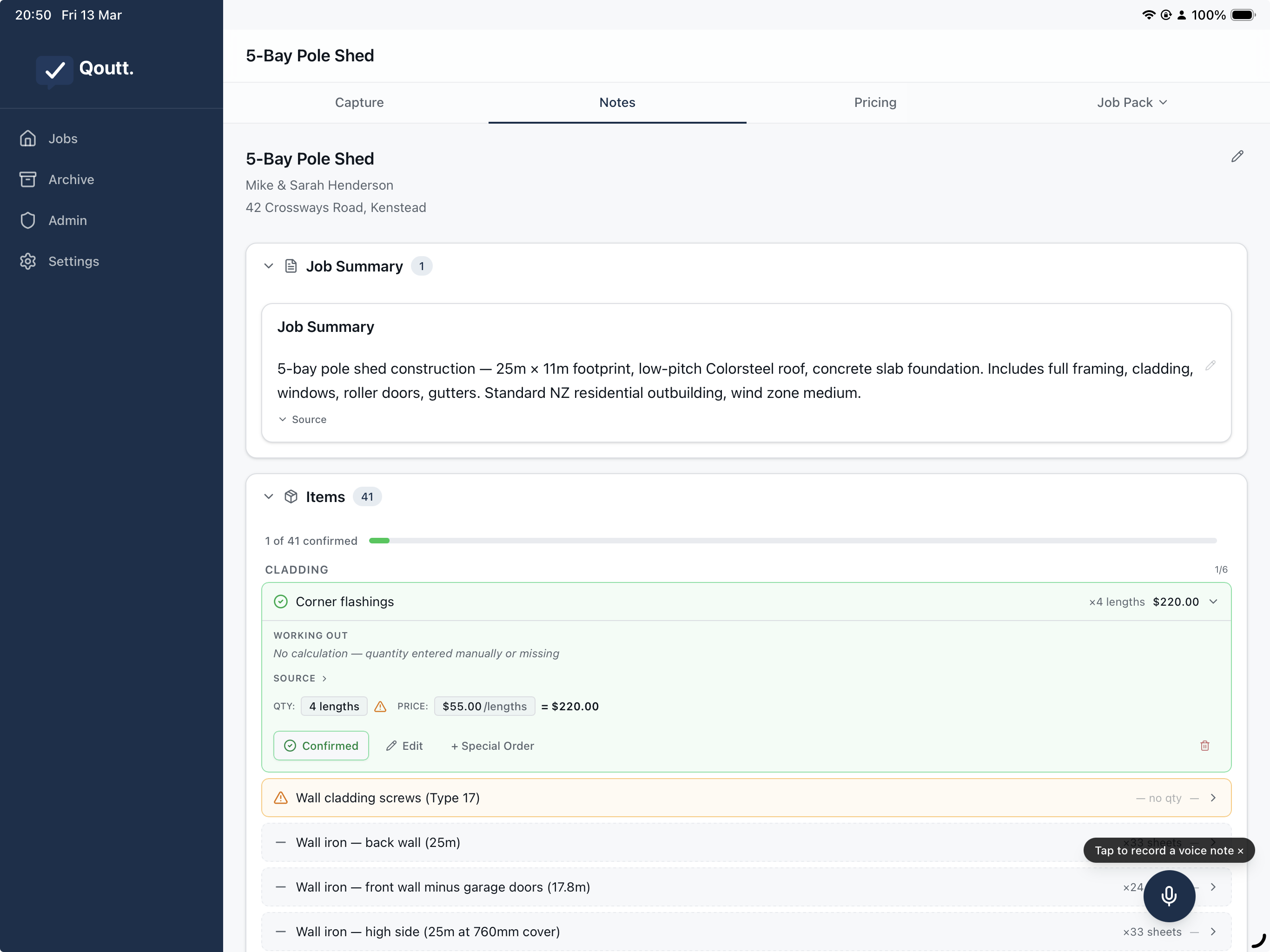
Under each thought, Check chips open the things Qoutt found — measurements, quantities, prices, hire, labour, and notes. Confirm or correct calmly. Every calculated number shows its working.
Use it for the job
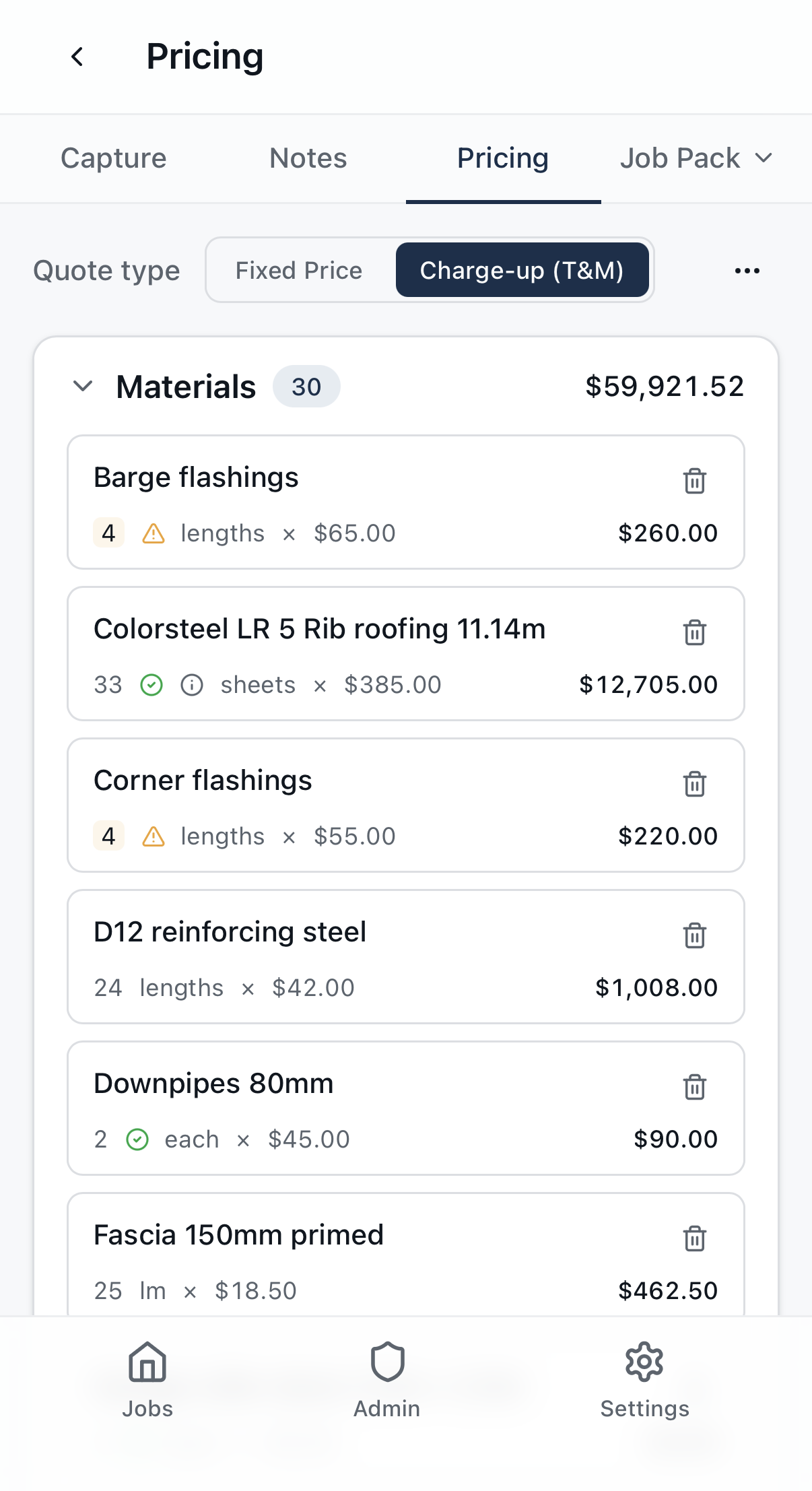
Once the note is right, pricing, materials lists, labour planning, and client quotes follow from the same place — and update as the job evolves.
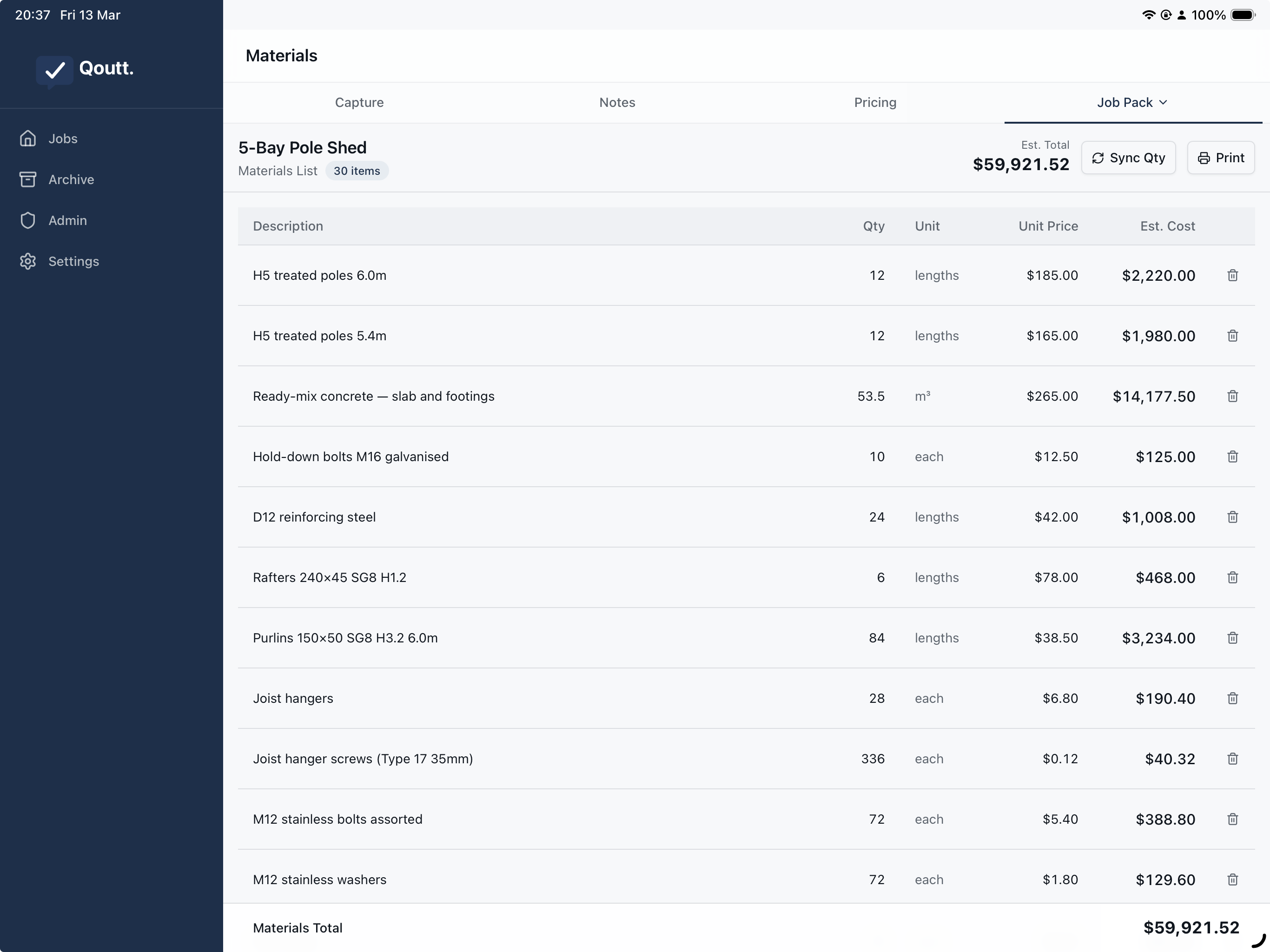
Use it on-site or at the desk
Capture on your phone, review your note and what Qoutt found on a tablet at the desk, or the other way round. Same job, same place.
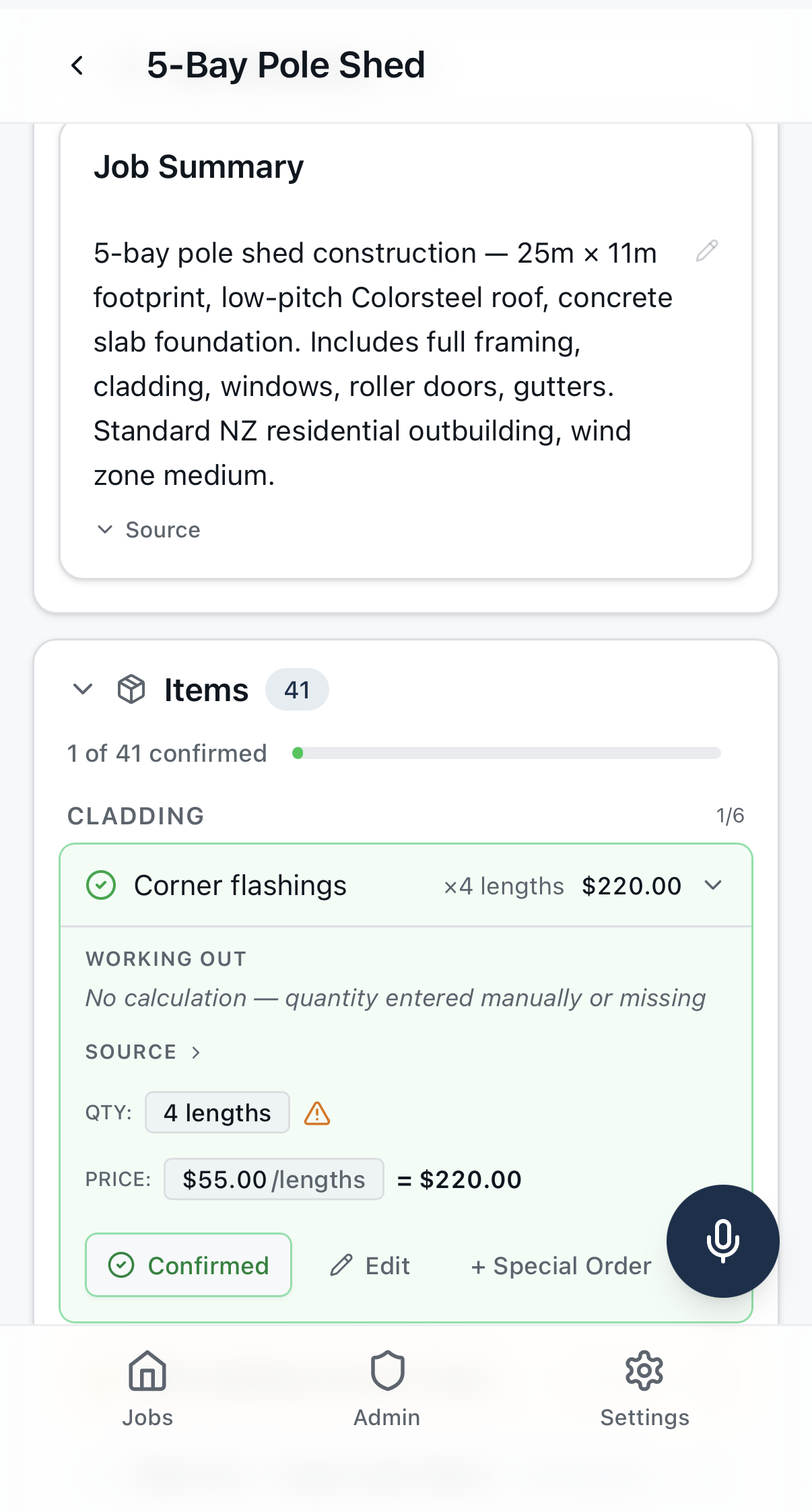
How it's different
Your words stay yours
Your note stays in your own words. Confirming or correcting a finding doesn't change your note text. Qoutt helps make it readable, but you stay in control.
Shows its working
Calculated quantities show the formula. Not a black box — you can check every number.
Review in context
What Qoutt finds sits under the thought it came from, so you can check it one part of the note at a time.
Your companion, not your boss
Every finding is reviewable. Qoutt suggests, you decide.
What's next
Qoutt already turns a trusted note into pricing, materials lists, labour planning, and quotes. We're improving the review flow every week, with early testers helping shape what comes next.
Built with tradespeople
"I just want to tell it what I need and have it work out the quantities."
"My jobs are getting more complex. I need something that keeps up."
"Keep it simple. People make things way too complicated for no reason."
Qoutt is shaped by real tradespeople on real jobs.
Where we are
Qoutt is already useful on real jobs — capture, note, review, price, quote. We're improving accuracy and the review flow quickly, shaped with real testers. If you've got a job to plan and five minutes to tell us what works, we'd like to hear from you.
Common questions
Who is this for?
Builders, tradespeople, and anyone who plans jobs from site capture — events, demolition, and more. If you use a notebook and calculator to work out quantities and costs, Qoutt is built for you.
How does the voice recording work?
Open a job, tap record, and talk through what’s needed, like you would at your notebook. Qoutt turns it into a working note you can read and check, with what it found sitting under each thought.
Does Qoutt rewrite my note?
Your note stays in your words. Qoutt turns the recording into a cleaner, readable note, then shows what it found under each thought for you to check. Confirming a finding doesn’t change your note text.
Can I type instead of record?
Not yet. Voice is the primary input right now. Text input is coming. But once you try talking through a job, most people find it faster than typing.
Is my data safe?
Your data is yours. Stored securely, not shared. We take privacy seriously.
What does it cost?
Free while we’re building it with early testers. Pricing will be shaped by the people who use it.
What trades does it work for?
We’re testing with builders, landscapers, roofers, events organisers, and demolition crews across New Zealand and the UK. The approach works across trades — if you work out quantities and price jobs, it’s relevant to you.
How do I try it?
Drop your email. We’ll get you set up within a few days.
Want to try it?
We're giving tradespeople early access to Qoutt, free. Try it on a real job, tell us what works, and help us build something worth using.
No cost, no commitment. Your feedback helps us make it better.